
Canvas has a number of nice updates coming soon! Each month, Canvas releases updates on their Release Notes page. There are lots of updates to follow so we have curated a list of especially useful features you'll love. This blog post will continue to be updated for the remainder of the 2020-2021 school year. Click here to read their Release Notes.
March 20th, 2021
Problem: A student submits a blank/incomplete assignment or submits a file to the wrong assignment. Solution: Reassign it! It will then appear to the student as if they never submitted it and put it back on their to-do list. Note: this update does not work on External Tools (LTI), on paper, and no submission assignments.

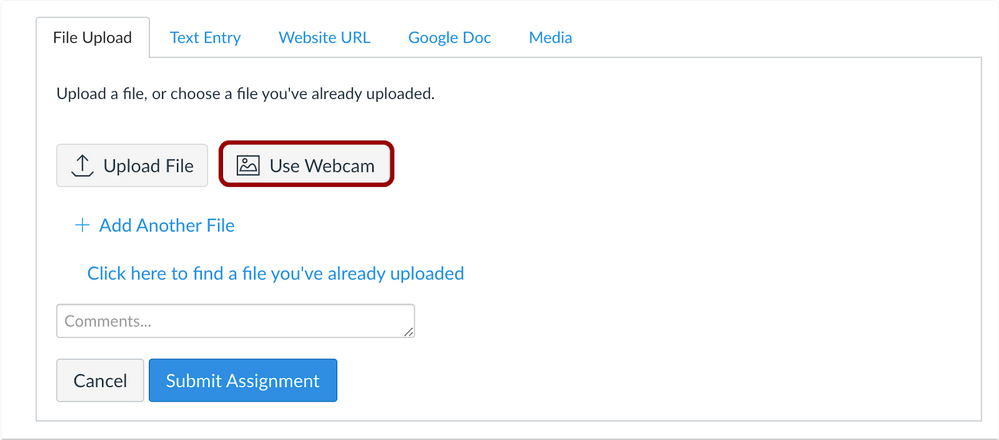
If you have students complete work on paper, they can now submit using their webcam! This is great for high schoolers that don’t have a smartphone available to them and simplifies the submission process.
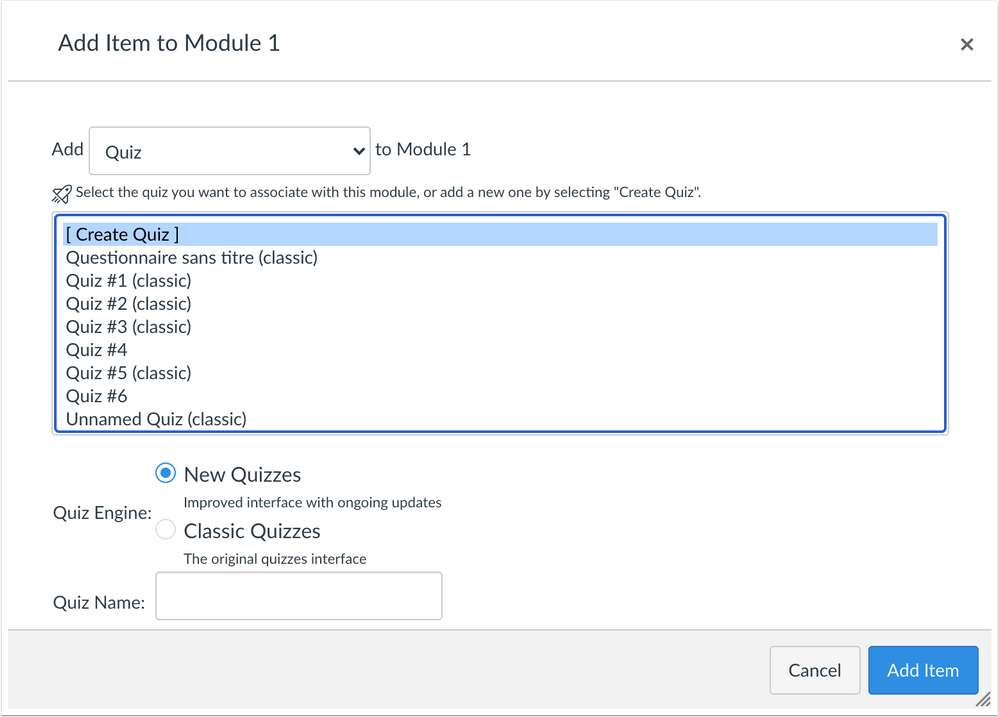
If you’ve ever made a New Quiz, you know how tricky it can be to add them into a Module. Now you can create a Classic or New Quiz directly on the Modules page in your course.
Coming in May
PDF Annotation Assignments
Teachers will be able to assign an assignment to students that allows them to annotate on a PDF file and submit it to Canvas. This functionality is already available on iPads. While there is a workaround to do this on MacBooks already, this update should make this more seamless. The annotation tools will look similar to the annotation tools that teachers have available in the SpeedGrader.

Available Now (in Beta)
Google LTI Update
Google and Canvas have an all-new integration that is now available. It will be replacing the Google Docs Cloud Assignment tool in September of 2021. If you’d like to try it this year, there is one thing to know upfront. Student submissions do not appear in the SpeedGrader and your rubrics created in Canvas do not work with the integration as is. SpeedGrader support is on the roadmap and should hopefully be available Fall of 2021. You can still provide feedback and give grades that students can view and any scores you give students will display in the Canvas gradebook.
The main difference between this new Google Integration and Google Docs Cloud Assignments is when you create the assignment, you can immediately start viewing a student's document. You can comment or edit their Google Doc automatically without having to remind them to change the share settings. This allows you to view their work in-progress and give them actionable feedback in the moment just like you could on any Google Doc.